 v0.7.2 · MIT · free & open source
JSONL Gazelle
A fast JSONL / NDJSON viewer and editor for VS Code, Cursor, and other VS Code forks.
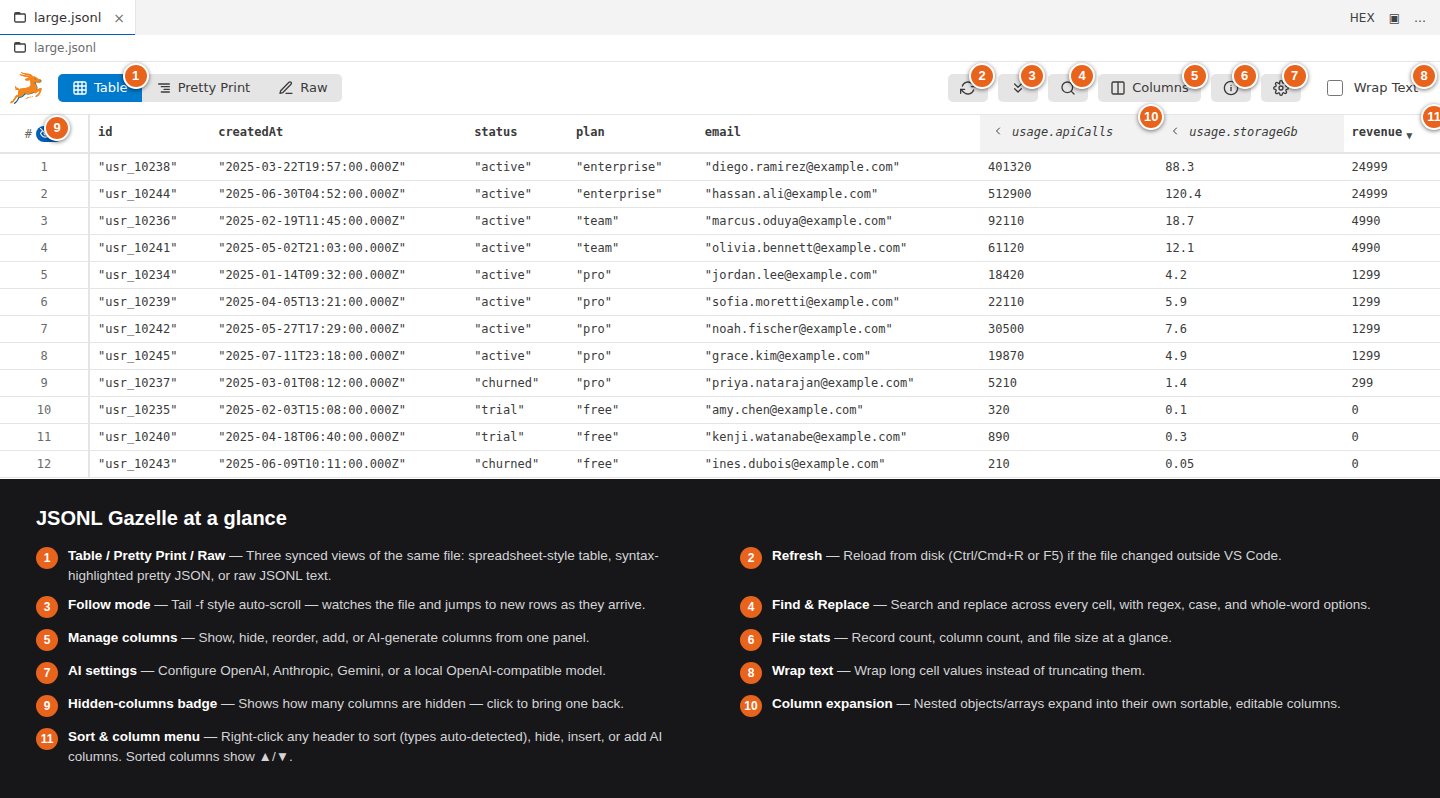
JSONL is everywhere now: LLM fine-tuning and eval datasets, agent transcripts like Claude Code's session logs, structured logs, and data exports. Open one in a stock editor and you get a wall of minified JSON. JSONL Gazelle turns it into a table you can sort, edit, and diff, with pretty-printed and raw views one click away.
$ code --install-extension gabor.jsonl-gazelleOr search for “JSONL Gazelle” in the Extensions view of VS Code, Cursor, or another VS Code fork.
27,700+
total downloads
7,775
VS Code Marketplace installs
19,972
Open VSX downloads (Cursor, VSCodium, and other forks)
4.75 ★
average of 20 Marketplace ratings
// live from the VS Code Marketplace and Open VSX APIs, refreshed daily
// features
Everything you need for JSONL
01
Three views, one file
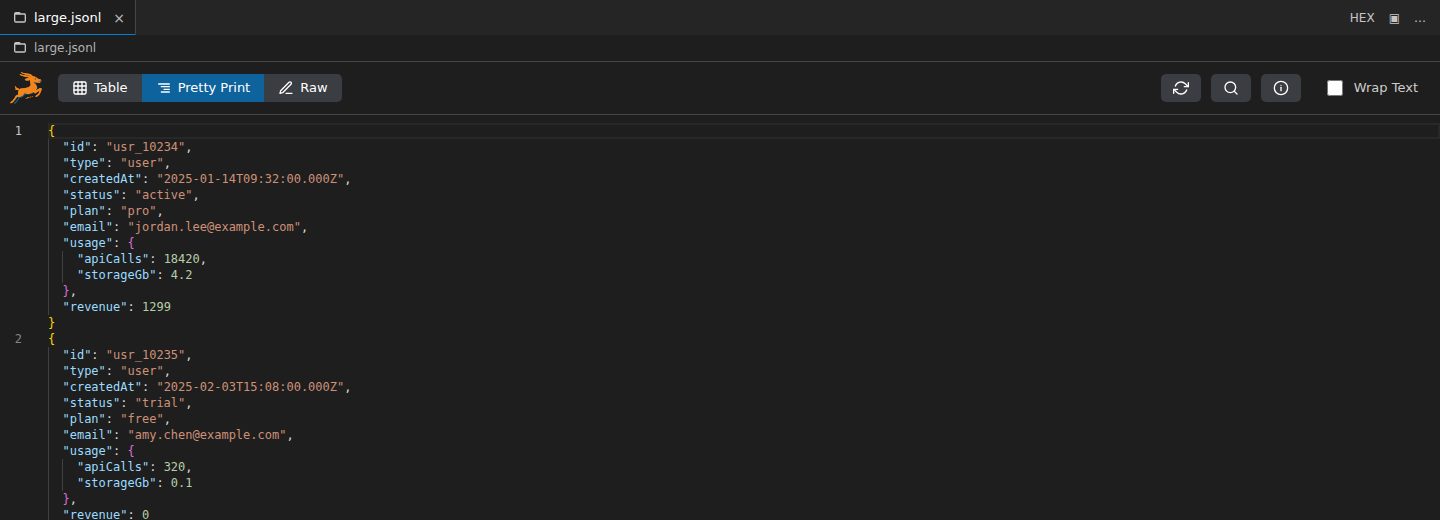
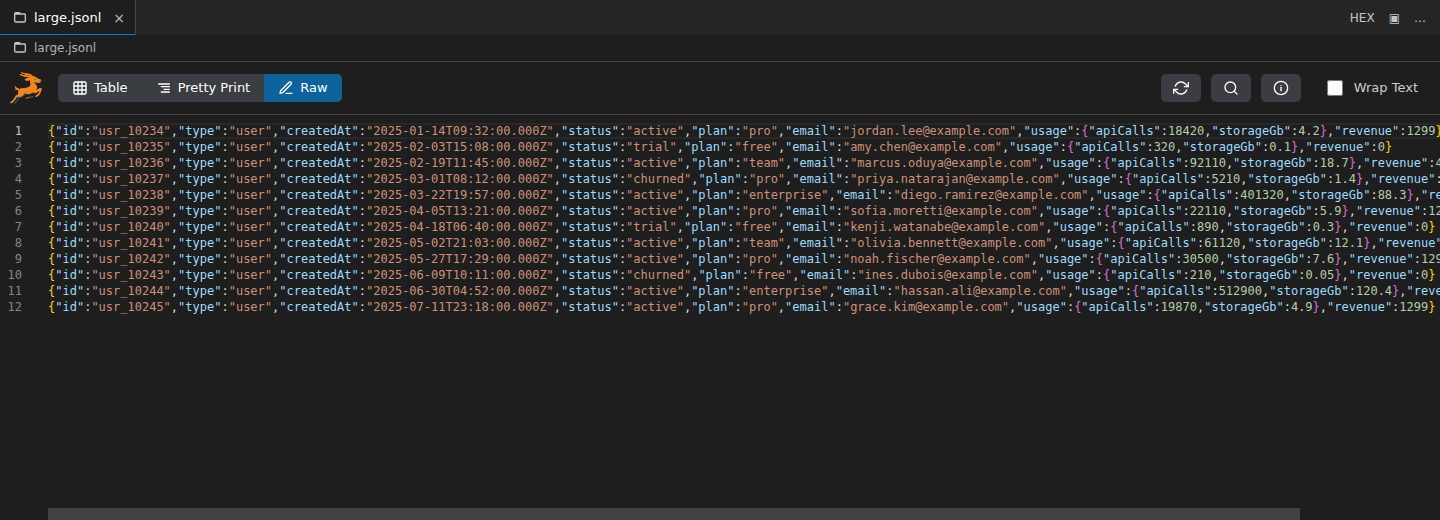
Switch between a spreadsheet-style Table, syntax-highlighted Pretty Print, and the Raw file. All three stay in sync, and you can edit in any of them.
02
Tables that understand nesting
Common JSON paths become columns automatically. Expand nested objects and arrays into their own columns, like user.name or orders[0].
03
Keyboard-first editing
Arrow keys move a cell cursor, Enter edits, Tab advances. On the headers, S cycles sort, U / D move a row, and Delete removes it.
04
Type-aware sorting
Timestamps sort chronologically and amounts like $1,200.00 sort by value, not as text. Sort just the view, or reorder the file itself.
05
JSONL-aware diff
Diff against Git HEAD or another JSONL file. Rows are aligned and changed fields show as old → new, not a wall of changed JSON.
06
AI columns and rows
Generate columns and rows with OpenAI, Anthropic, or Gemini models, or a local model through Ollama, LM Studio, or vLLM. Bring your own key.
07
Search, follow, export
Regex Find & Replace across every cell. Follow mode tails a file like tail -f as new rows arrive. Export to CSV in one command.
08
Built for big files
Large files load progressively in the background, and files over 100 MB can be split into parts. Optional format-on-save tidies hand-edited lines.
// demo
Watch me explain it
// comparison
Why it's better than the alternatives
What you see
others: Syntax coloring, or a read-only preview of the records.
gazelle: A spreadsheet-style table, pretty-printed JSON, and the raw file, all in sync.
Editing
others: Most JSONL viewers are look-but-don't-touch.
gazelle: Edit cells in the table, whole records in Pretty Print, or lines in Raw.
Setup
others: Notebook-style data tools need Python and pandas set up before you see a single row.
gazelle: Opens automatically for .jsonl and .ndjson files. No Python, no account, nothing else to install.
Price
others: A popular freemium viewer puts CSV export and filters behind a subscription.
gazelle: Free and MIT-licensed open source. Every feature is included, from CSV export to diff to AI columns.
Git diffs
others: Line-based diffs flag the whole line of JSON as changed.
gazelle: Rows are aligned and only the fields that changed are highlighted.
Maintenance
others: Several of the most-installed JSONL extensions haven't been updated since 2018–2023.
gazelle: 32 releases in its first year, and user requests often ship within days.
As of October 2026, JSONL Gazelle is the most-downloaded JSONL extension on Open VSX and has more ratings than any other JSONL extension on the VS Code Marketplace.
// reviews
What developers are saying
★★★★★
“I installed it on a lark, thinking, ‘probably another extension I'll never use and remove shortly after.’ NOT SO AT ALL. I use this tool near daily. … This tool is well-built, extremely useful, and otherwise stays out of the way.”
★★★★★
“Hands down best JSONL file extension in VS Code.”
★★★★★
“The Pretty Print and Table views are SO useful. I've recommended it to my entire team!”
★★★★★
“Honestly shocked this tool didn't exist before. Five stars just for the pretty-print feature.”
★★★★★
“I installed this because I wanted an ergonomic way to see exactly what is in the Claude Code session and subagent logs (~/.claude/projects/). It worked perfectly.”
★★★★★
“There are some tools that just give you relief because they're SUCH LIFESAVERS!”
★★★★★
“Works great! Exactly what I needed”
Read all reviews on the VS Code Marketplace and Open VSX.
// changelog
You ask, it ships
32 releases in its first year, many of them straight from user reviews.
- 2026-03-26reviewIsak Larborn asks for an easier way to move from one record to the next in Pretty Print.
- 2026-03-28v0.4.3Ships shortcuts to jump between records in Pretty Print and Raw views.
- 2026-10-02reviewMike Young suggests format-on-save that spaces out objects and turns single quotes into double quotes.
- 2026-10-05v0.7.2Ships both as optional format-on-save settings.
Have a request? Open an issue on GitHub.
// install
Get JSONL Gazelle
$ code --install-extension gabor.jsonl-gazelleOr search for “JSONL Gazelle” in the Extensions view of VS Code, Cursor, or another VS Code fork.